Algo / Bot cTrader > 2.0 2.918

SwingFish Helper

SwingFish Helper is a cTrader algo that helps protect you from drawdown by hedging positions and sets of positions. Once the drawdown limit set for a single symbol is reached, SwingFish Helper opens an equal-sized position in the opposite direction to cover you.

  • Auto Hedge - automatically hedges all combined positions of a single symbol once your configured loss threshold is reached
  • Cash Targets - closes all trades once a given financial target (in account currency, not %) is reached
  • Custom Margin Call - closes all positions once a global loss threshold is reached, active even when hedging is disabled
  • Realtime Position Information - live display of profit/loss, equity, account balance and drawdown
Free

Documentation

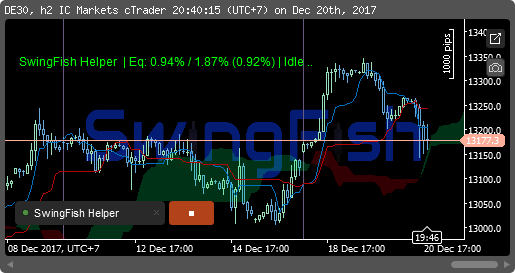
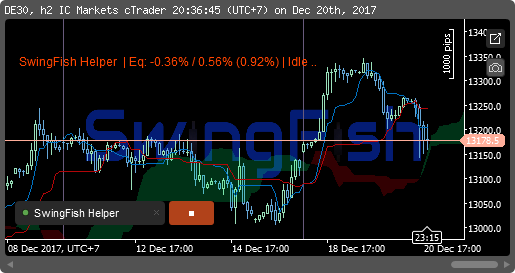
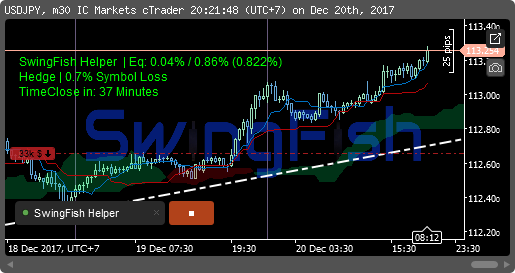
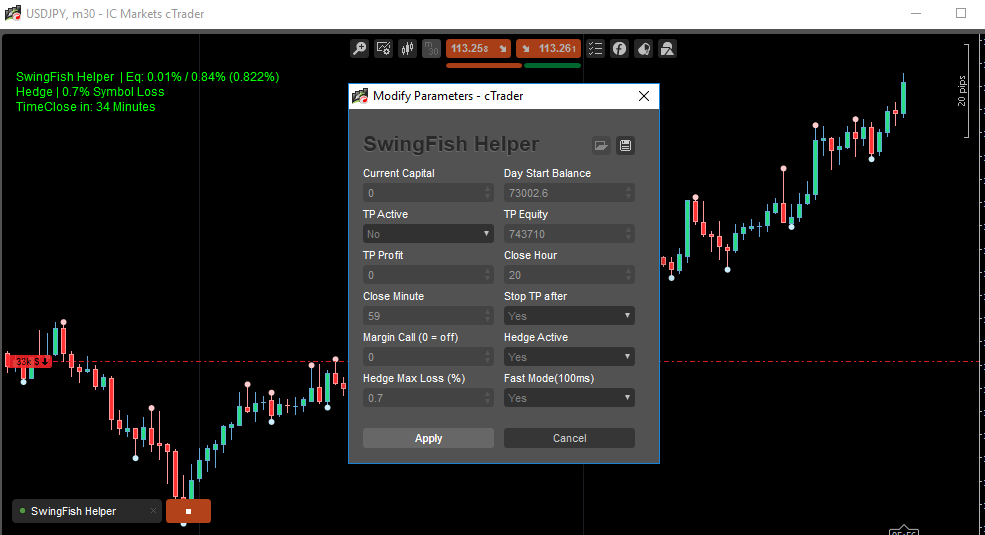
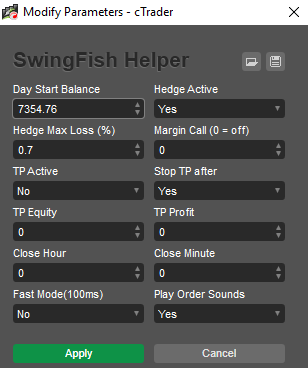
SwingFish Helper settings and status overlay

Time Targets (close all trades based on a given time of day) were removed in 2.2.

General

  • Day Start Balance - your starting balance for the day; all calculations are based on this value. If left unset, SwingFish Helper tries to detect the day's starting balance automatically.
  • Day Start Drawdown - your starting drawdown, leave at 0 unless you already had drawdown before starting. This auto-updates whenever the drawdown grows larger than the set value. The value is always negative, even though you enter it as a positive number.

Hedging

  • Hedge Active - enable/disable the hedging features.
  • Hedge Max Loss (%) - the bot automatically starts a hedge at "X%" loss, covering all positions on the same symbol.
  • Margin Call - a hard "no questions asked" drawdown level in percent. If reached, the bot closes all positions on the account. Active even when hedging is turned off - set to 0 to disable.

Take-Profit

  • TP Active - enable/disable the take-profit features.
  • Auto Cancel - turns TP Active off again once it has triggered once, leaving all other protections active but without further take-profits.
  • TP Equity - a cash value (not %) for the ending balance you expect. Once your equity reaches this amount, all trades on the account are closed.
  • TP Profit - a cash value (not %) for the combined profit you expect across all trades.
    Example: account balance is 100, bot active, TP Profit set to 10. Once a trade pushes your equity to 110, all trades on the account are closed.
    If active, TP Profit takes priority over TP Equity, which is then ignored entirely.

Performance & Logging

  • Fast Mode - when active, equity and drawdown are checked every 100ms regardless of price movement; when off, checks happen once per incoming price (per tick). This can cause high CPU usage - if you run SwingFish Helper multiple times, only enable Fast Mode on one instance.
  • Play Order Sounds - plays a sound whenever orders or hedges are executed.
  • Enable Overlay/Log - writes a file to disk that can be read by OBS or other software as an overlay.
  • Add PnL to Overlay - adds realtime profit/loss to the overlay file.
  • Overlay Wife-Mode - shows combined PnL (current position plus already-realized profits).
  • Use HTML - outputs an auto-refreshing HTML file for use on a website.
  • Clear on Exit - empties the overlay file when the bot exits.
In order to play sounds, write logs and check for updates, SwingFish Helper may need internet and filesystem access, which is why you may be asked for full-access permission. We do not collect or send any data to our servers.
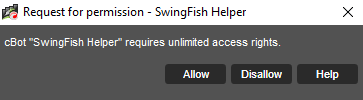
SwingFish Helper full-access permission request
Full README / Changelog
2.918
SwingFish Helper (GlobalTP+)

SwingFish Helper by Mario Hennenberger

Auto Hedges Positions based on first position distance and/or overall Position Loss
terminates ALL open Positions and delete ALL Pending Orders if Net Profit or Equity Target or max loss is reached

License:
    Creative Common "CC BY" - you are REQUIRED to mention me or swingfish.trade if you re-publish this.

Contributions:
    - Mario Hennenberger <swingfish@icloud.com> https://www.swingfish.trade
    - tmc. <belochjiri@hotmail.com> https://ctdn.com/users/profile/tmc_

get Updates:
    - https://swingfish.trade/swingfish-helper
    - https://ctdn.com/algos/cbots/show/1664 (no more updates here, sorry)

ToDo:
    - some times auto hedging happens always regardless of the equity  /// this is maybe fixed already with the double call removed

Beta changes (in progress)
 - allow re-hedging on existing positions
 - re enable local protection 
 - using internal folders 

Changes:
    - fix fileIO conflict
    - add split value per trade ""Day Trade Limit %"
    - use new version and source system https://www.swingfish.trade/assets/downloads/v/swingfish-helper
    - fixed "reconnect-hedge-bug" bot will not hedge if it is unaware of the current positions.
    - MarginCall ALWAYS triggers (even if hedging is turned off or no targets are set!
    - remove of chart-symbol (always hedging globally)
    - new Loss calculation includes Comissions and swaps
    - use of pathfunctions to "find" logs and sounds
    - if DayStart balance is set to 0
      automatically get the start balance of the day
    - HOTFIX (2.02) respect max order size,
                    to prevent failed placements on maximum size
    - sound setting ignores hedge sound
    - change installer version (2.01)
    - use Windows installer for sound files (no code change)
    - default loss at 0.5%
    - remove System.AttributeTargets.Class
    - remove "Current Capital" setting (temporary)
    - re arrange and rename of settings, no functional change (1.71)
    - remove FullAccess (just requires Internet Access)
    - sounds from archive folder in /Sounds/
    - use order sounds (1.7)
    - temporary use a flexible IP for update check
    - ssl fix (1.61)
    - fix for netting accounts (1.6.1)
    - remove TP and SL from hedged positions
    - change colors to reflect the Daystart (not the current trade)
    - add version check (beta)
    - play sounds from Documents Directory ('swingfish-helper-hedge.mp3')
    - add notification sound (hardcoded path)
    - hedge active by default
    - 2 digit target
    - remove (hedge globally setting (always hedging globally)
    - add Capital Field for GLobals Profit/loss calculatios
    - display cents (*10)
    - stop not "stop" the bot but disables tp feature
    - added daytrader balance
    - remove Hedge Distance (pointless)
    - remove Dummy variables for time (all in secounds now)
    - show hours if more then 3600 sec to wait
    - fix Spacin in display text
    - time stops based on timezone
    - remove double check in batch
    - protection fix
    - remove duplicated outputs
    - in Protect Profit mode .. always use timer mode (fast)
    - re-enable time stops with proper date functions
    - negative stop (equity stop if over equity already) (1.51)
    - disable cash target - if TP is set .. it will be converted to Equity target
    - 2 line status 1 TP 1 Hedge
    - show minutes to Close if more than 120 secounds till close
    - scalp switch (use 100ms timer)
    - kill after Execute Switch
    - Global Chartobjects
    - bug fixed if 0 pip position hedge is selected only
    - 3 digit Equity calculation
    - use percentage instead of absolute hedge value (Hedge Loss / Hedge Max Loss)
    - comment if only hedge
    - replace Hedge Global with Hedge ALL
    - export Hedge and GlobalTP to functions
    - fix global position hedge
    - include hedge bot (1.01)
    - starting version 0.3 name is changed to "SwingFish Helper" (previous "GlobalTP+", last version 0.23.2)
    - async close for faster execution
    - use 100 ms Timer to make it more responsive
    - remove cents display
    - better text and display equity percentage
    - reset equity OnTick
    - bug in calculating the total equity
    - use net instead of Gross
    - convert api names to new version